Resouce Server With Roles
Chapter 2
Extension of Resource Server
but now with roles.
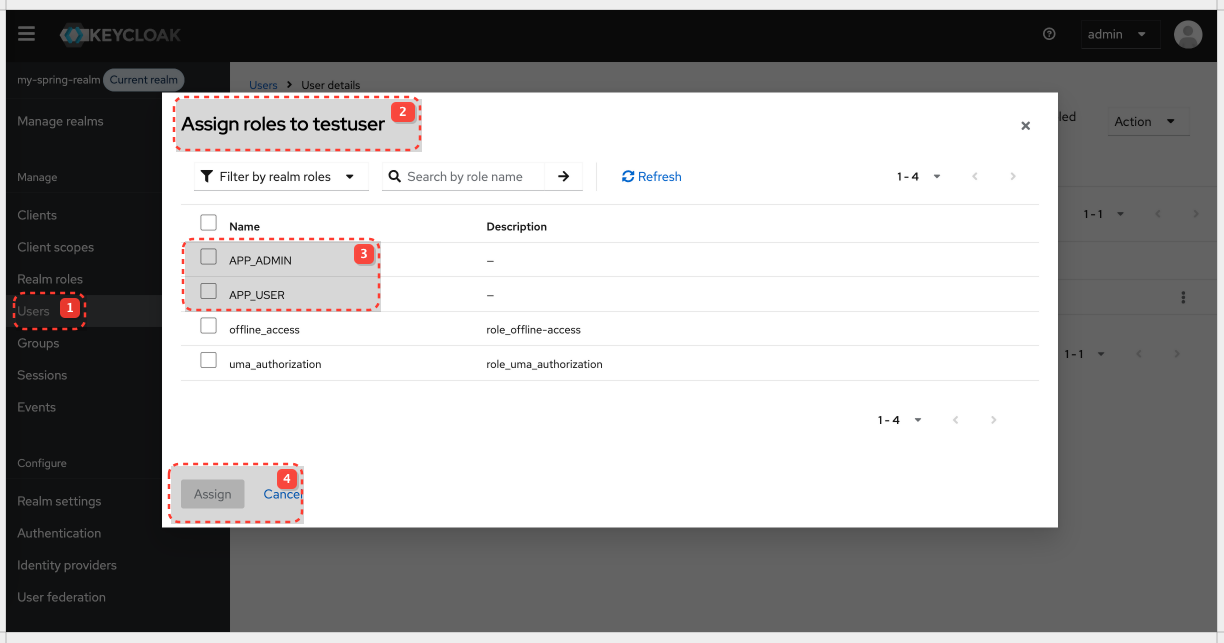
Create Realm Roles
Create Realm Roles:
Realm roles are global to the realm and can be assigned to any user.
| Role name |
|---|
| APP_USER |
| APP_ADMIN |
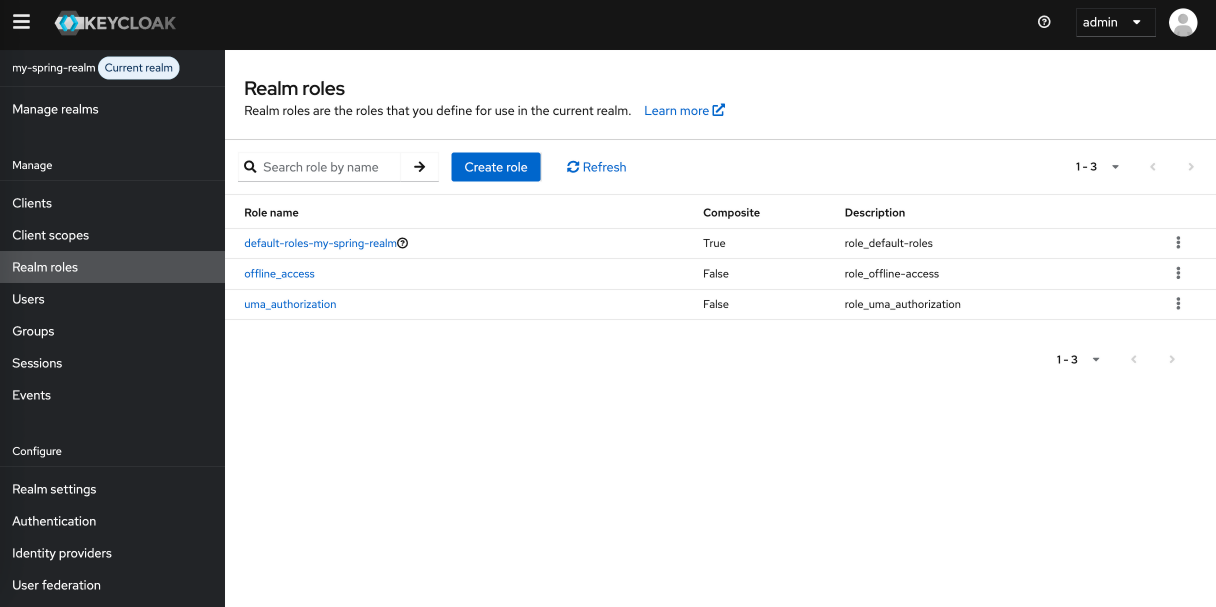
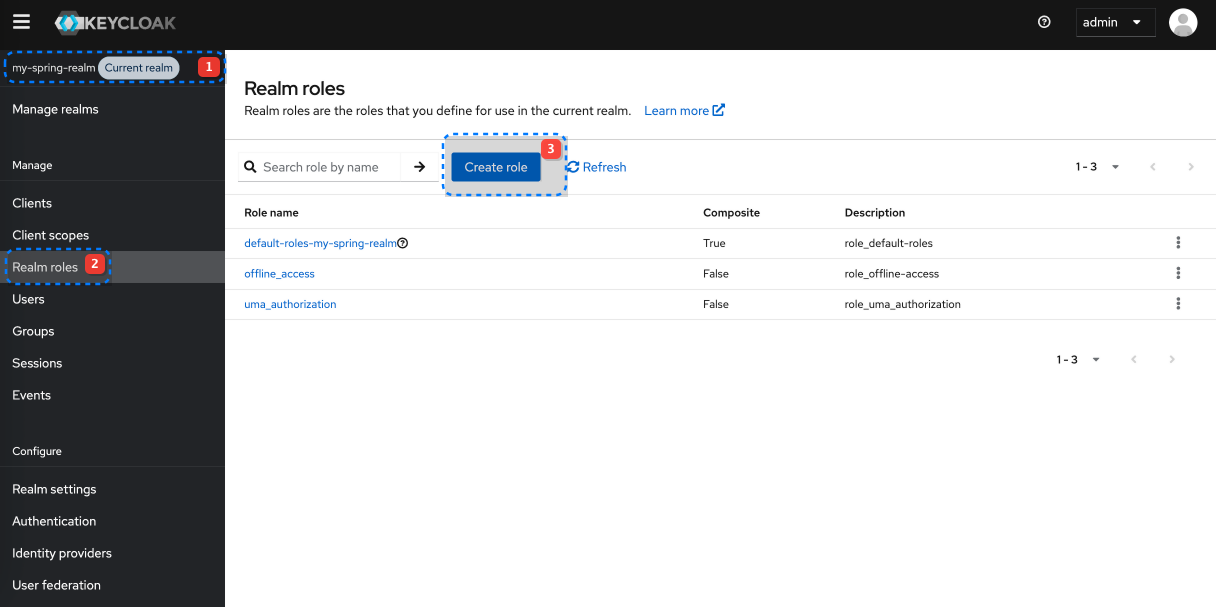
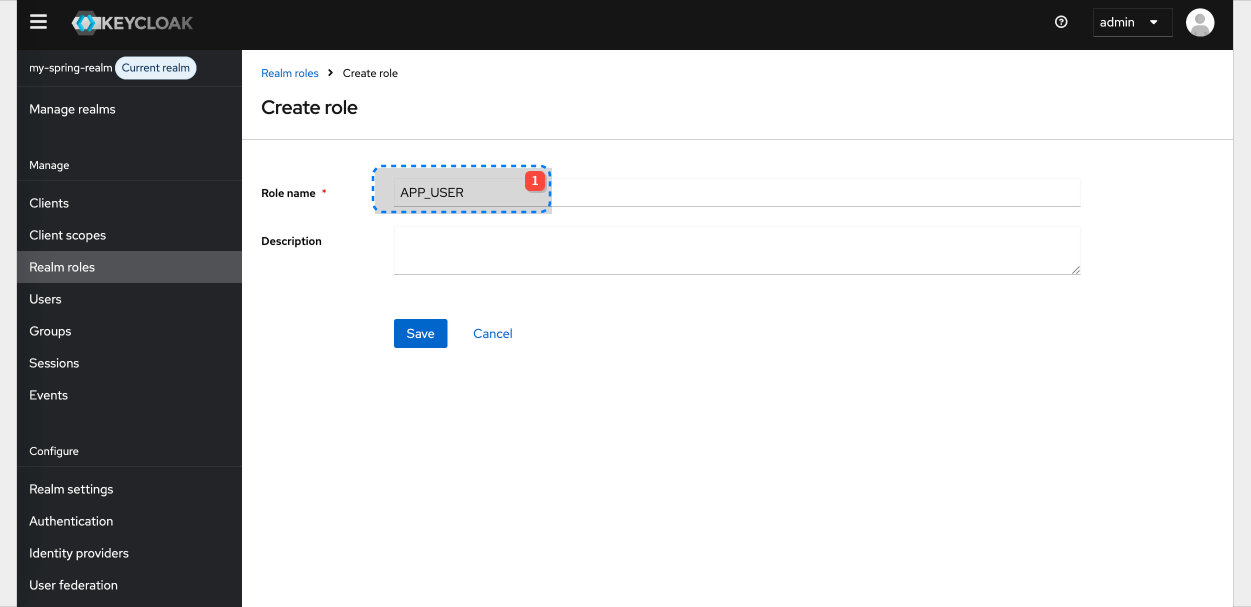
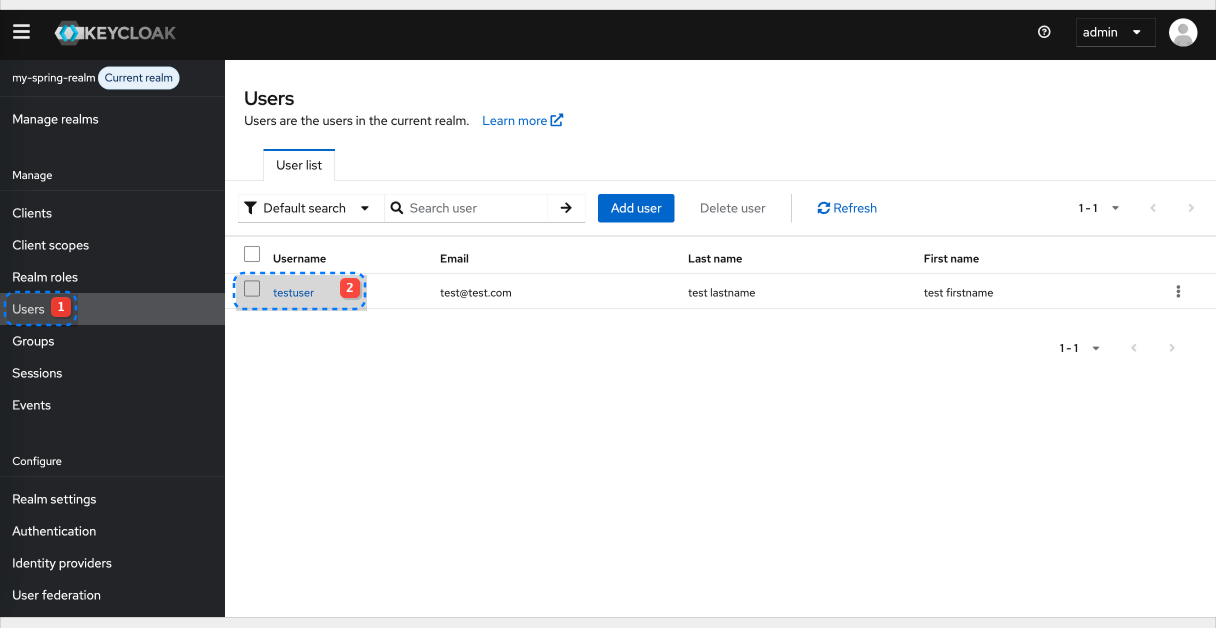
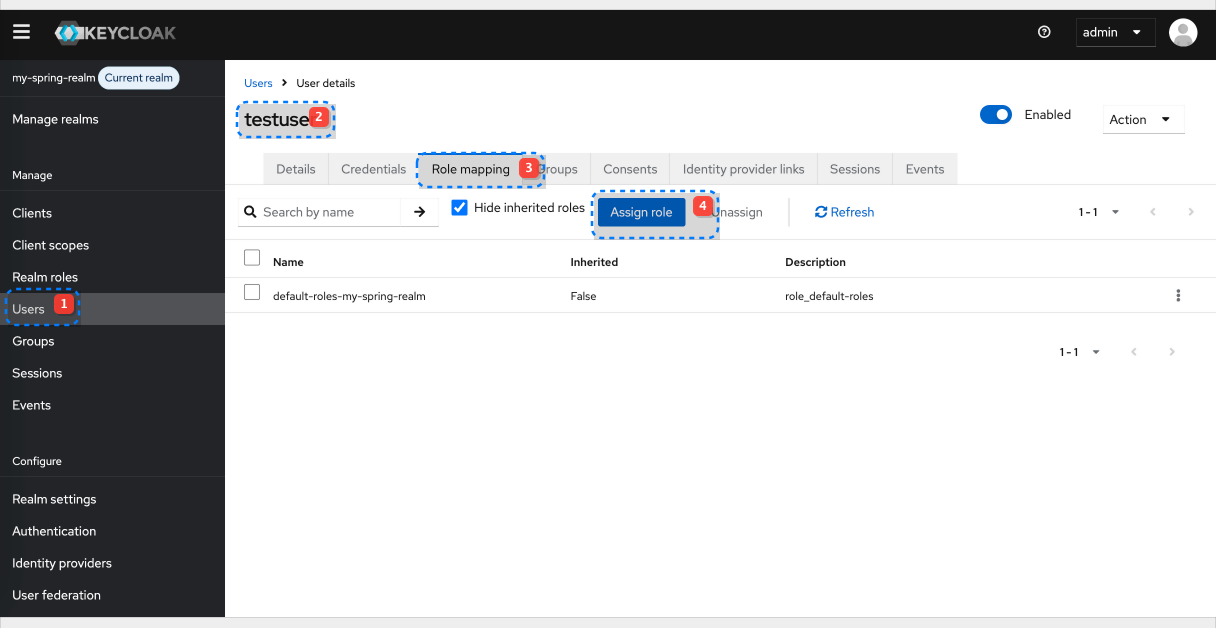
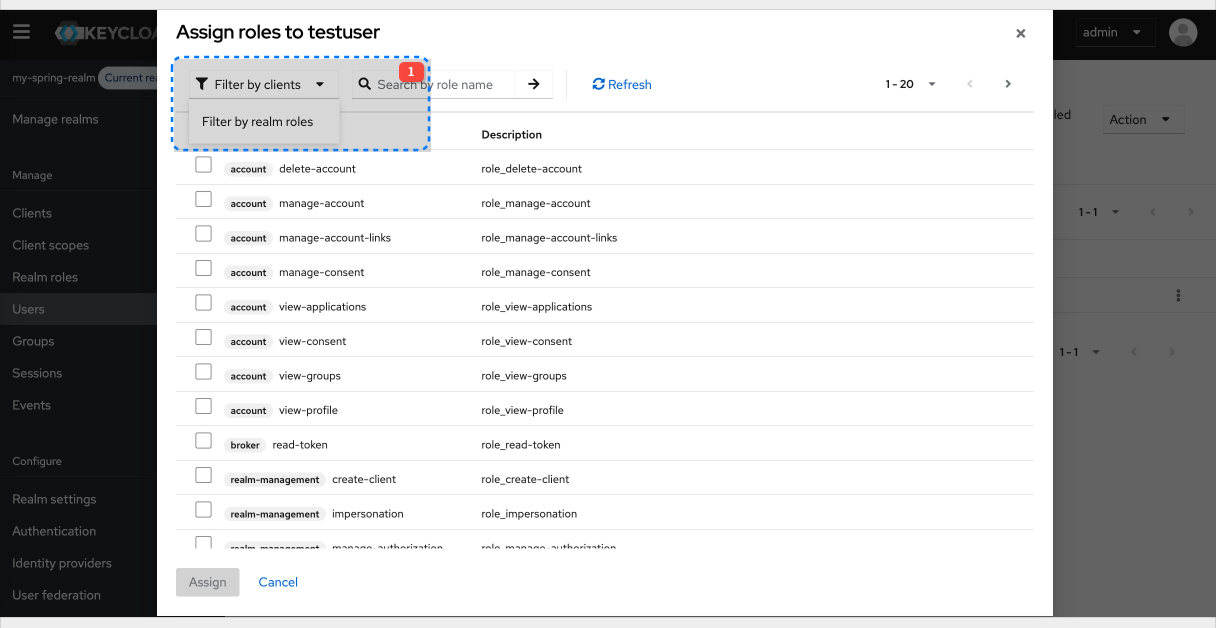
Add assign to the existing testuser
Map Realm Roles into the Access Token
By default, realm roles are not automatically included in the access token. We need to add a mapper to our client or a client scope.
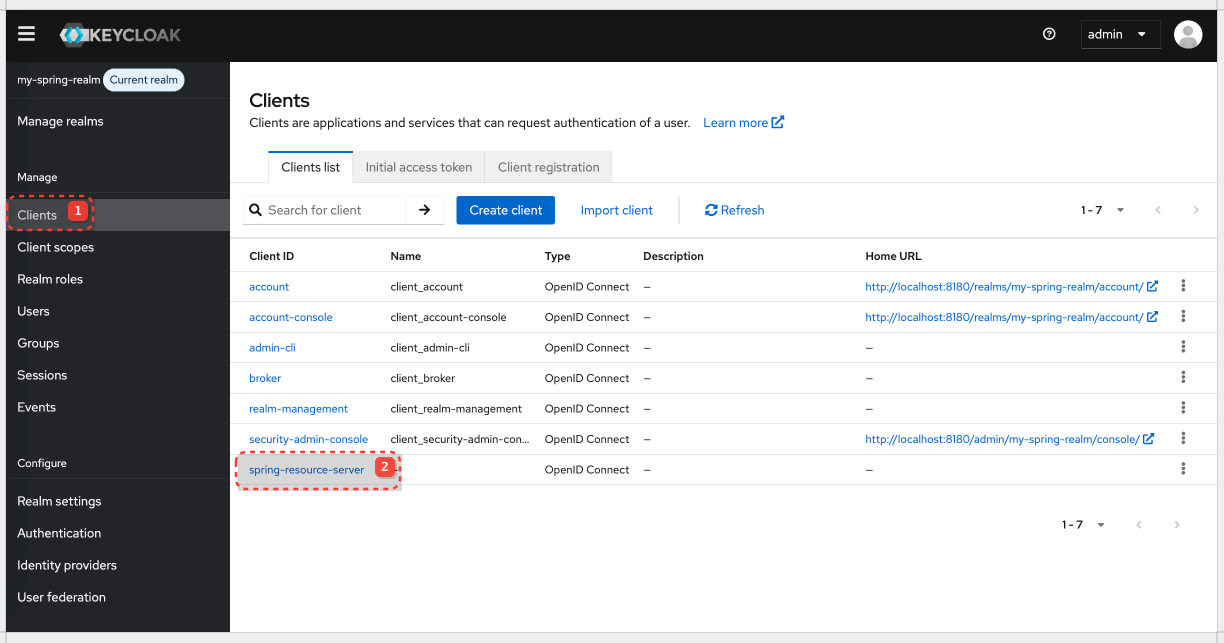
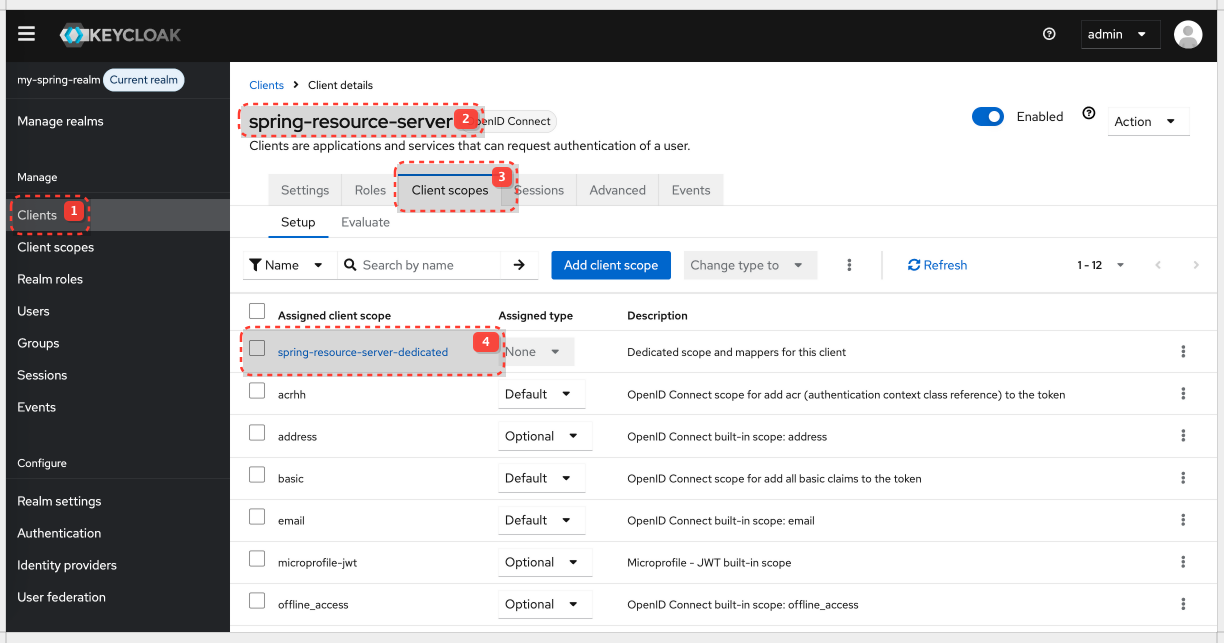
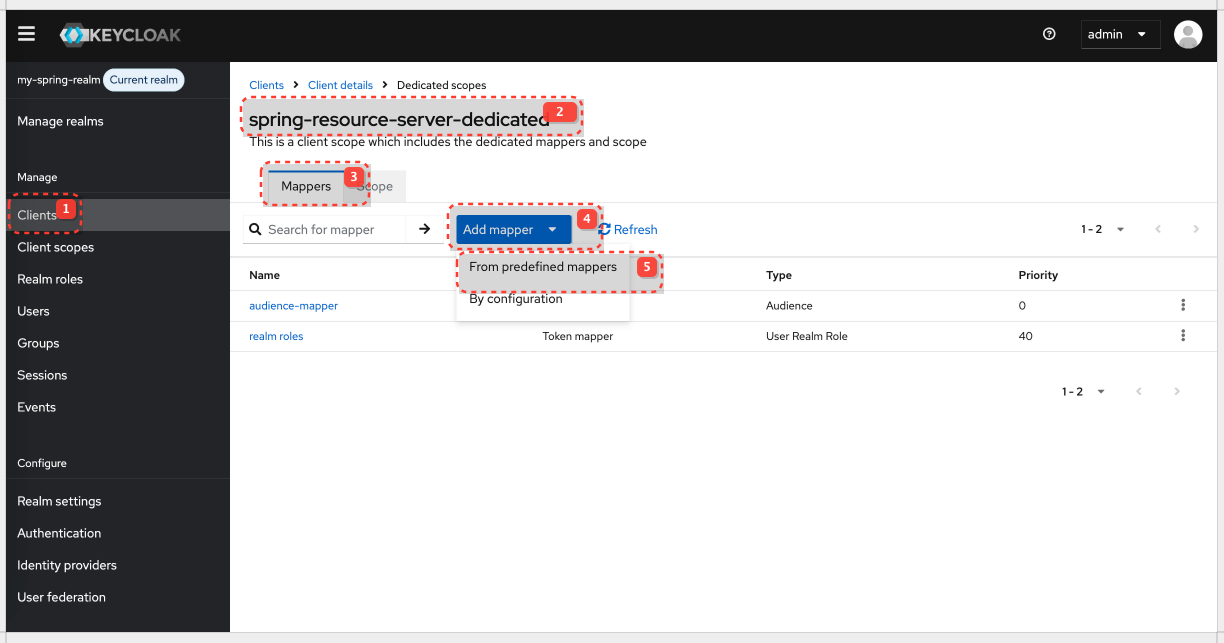
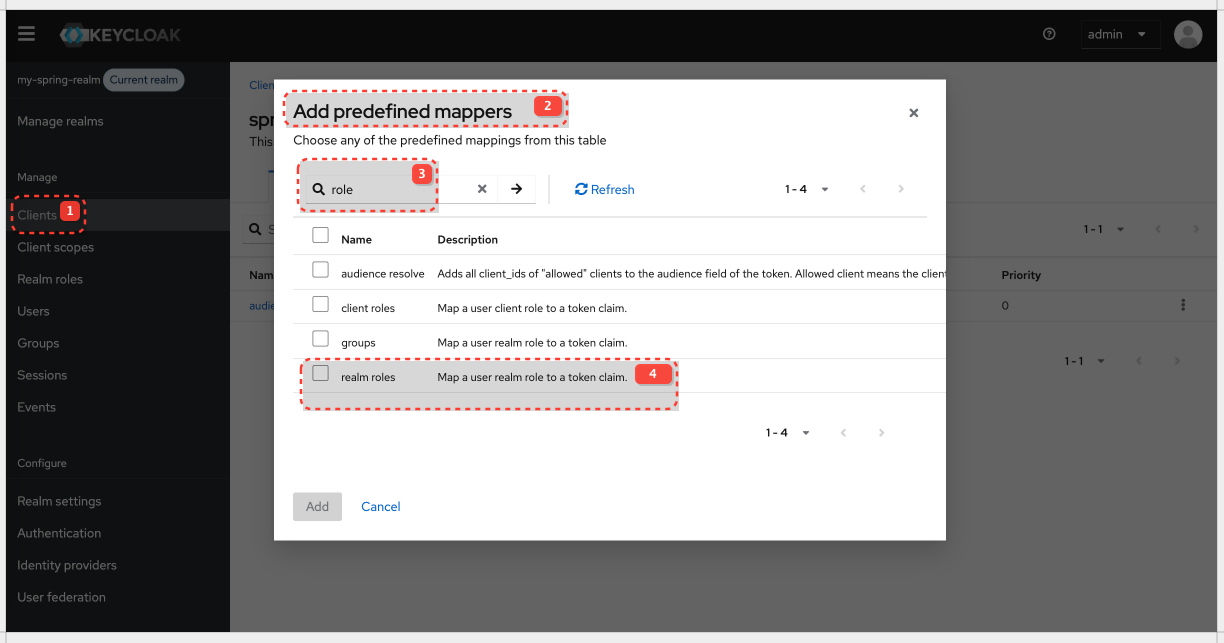
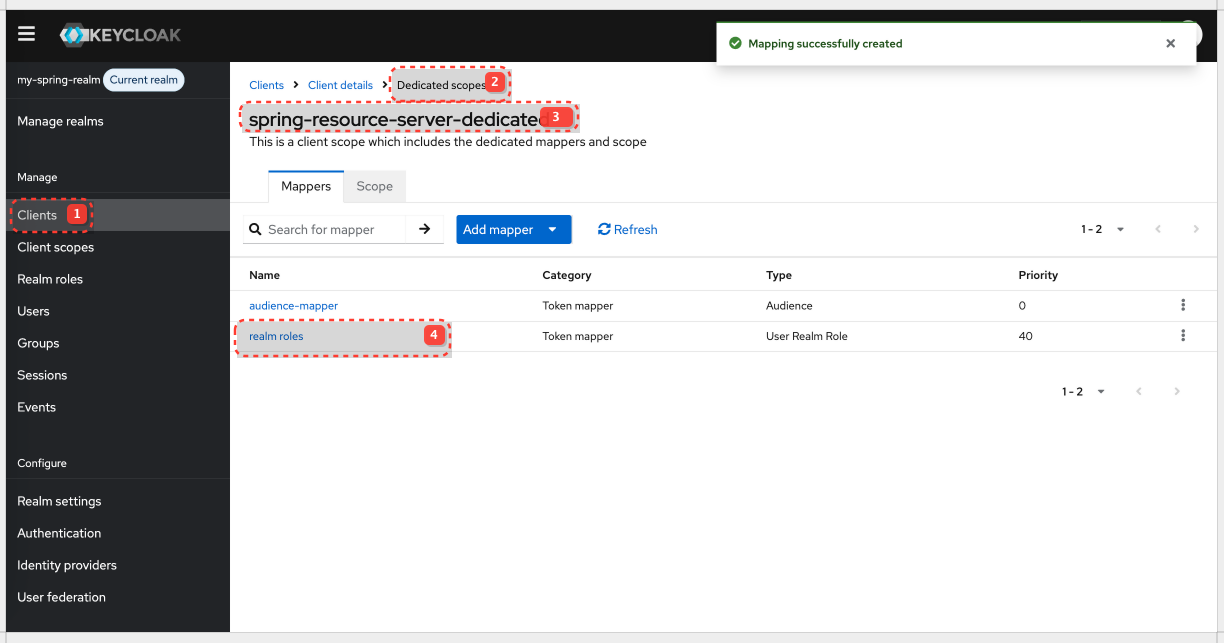
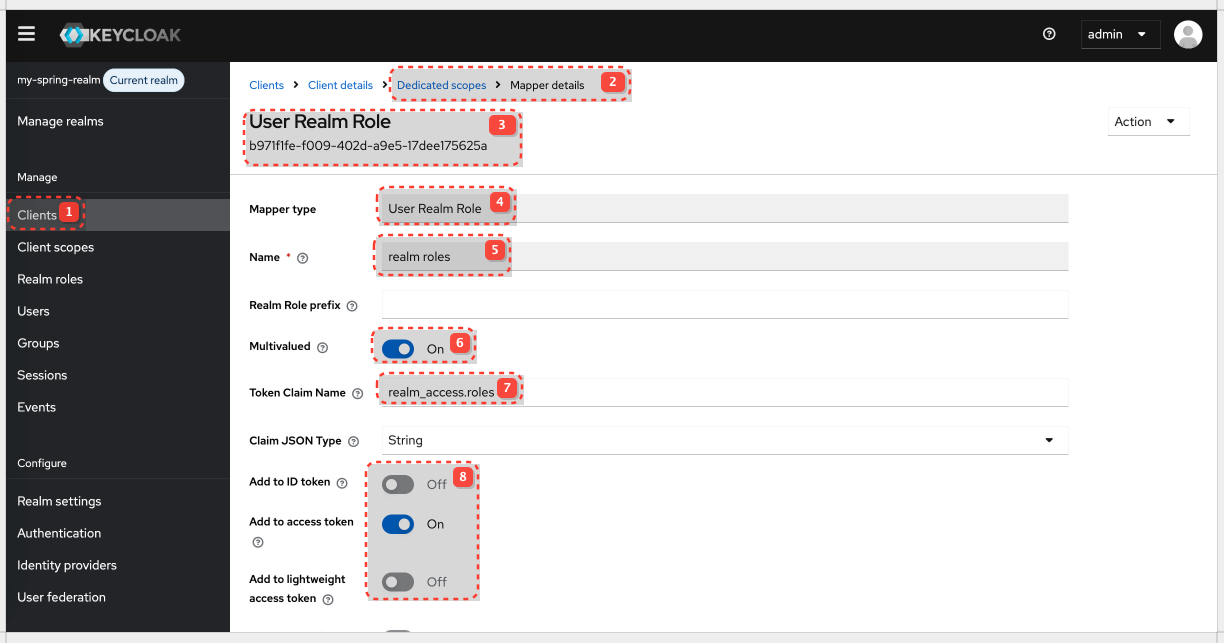
| Setting | Value / Description |
|---|---|
| Name | Realm Roles Mapper (or any descriptive name) |
| Realm Role prefix | (Leave blank if you don't want a prefix in the token; add ROLE_ in Spring. You could put ROLE_ here, but it's more conventional to handle it in Spring.) |
| Token Claim Name | realm_access.roles (common convention; realm_access is an object in the JWT, and roles is an array within it) |
| Multivalued | ✅ ON (a user can have multiple roles) |
| Add to ID token | ❌ OFF (typically not needed for resource server authorization) |
| Add to access token | ✅ ON (essential for the resource server) |
| Add to userinfo | ❌ OFF (typically not needed for resource server authorization) |
Spring Security
Keycloak is now configured to issue tokens that include realm roles.
Loading...Application properties
Loading...Failed attempt to get authorities from claim
With current configuration when you attempt to call public endpoint you fill get empty array with authorities.
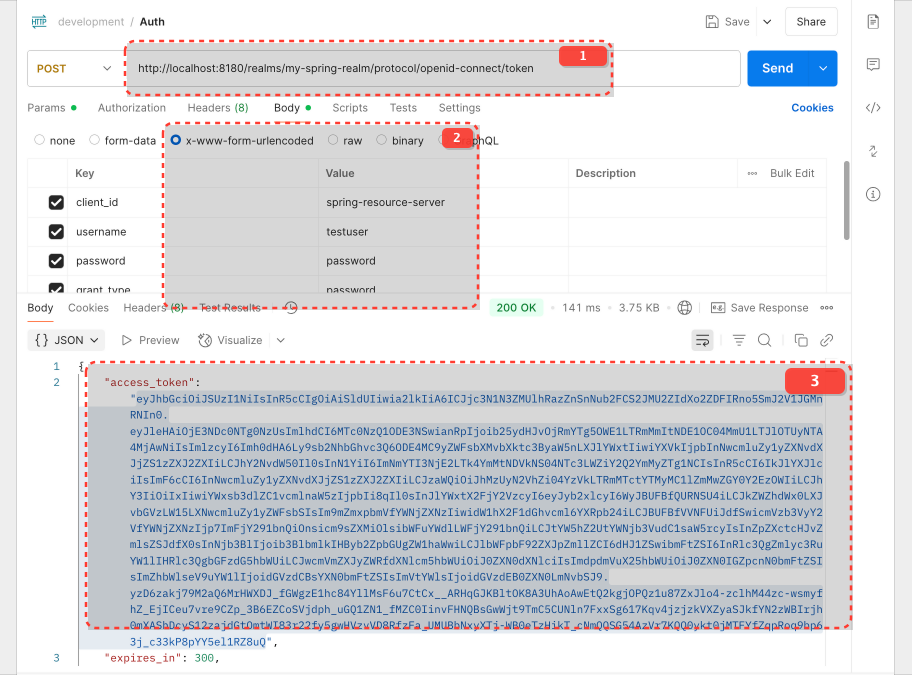
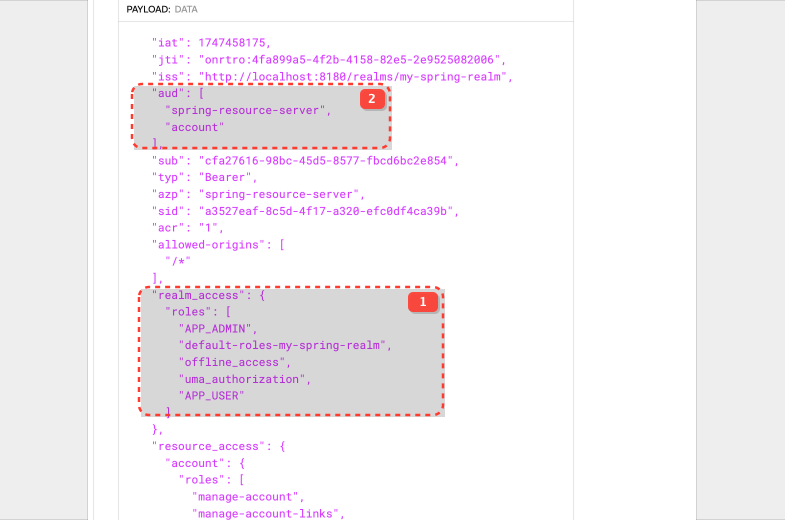
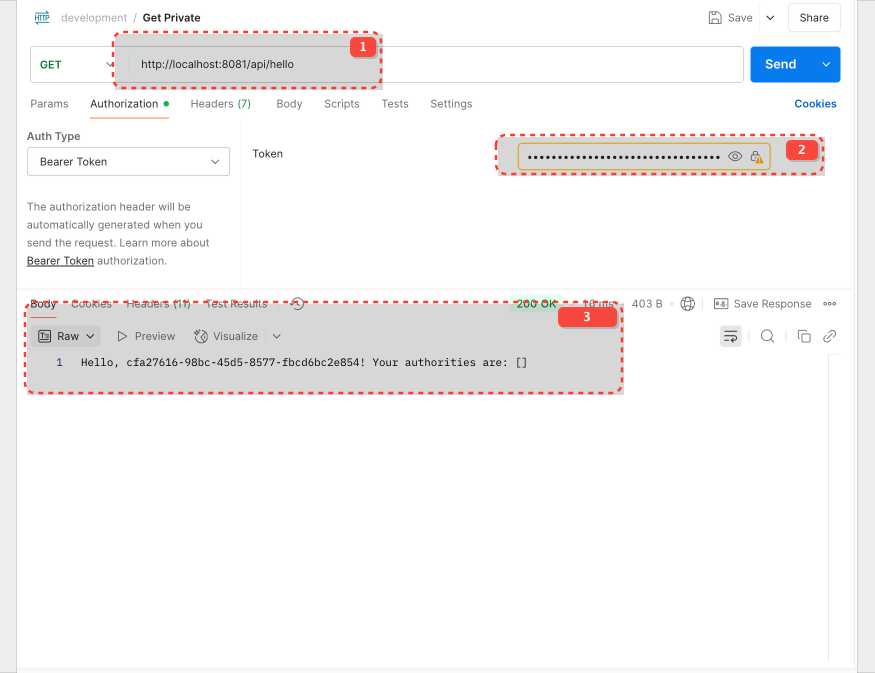
This is caused by the nested structure of the claim realm_access.roles Spring will parse this as a LinkedList with key realm_access and roles as value. However, grantedAuthoritiesConverter.setAuthoritiesClaimName("realm_access.roles"); is expecting claim with key realm_access.roles
Keycloak allows to send claim with realm_access.roles but you need to set value of the claim to realm_access\.roles
What it does is really duplicating claim and you will have two claims with same values
| Claim name | Value |
|---|---|
| role_access.roles | ["APP_ADMIN", "APP_USER", ....] |
| role_access | roles: ["APP_ADMIN", "APP_USER"] |
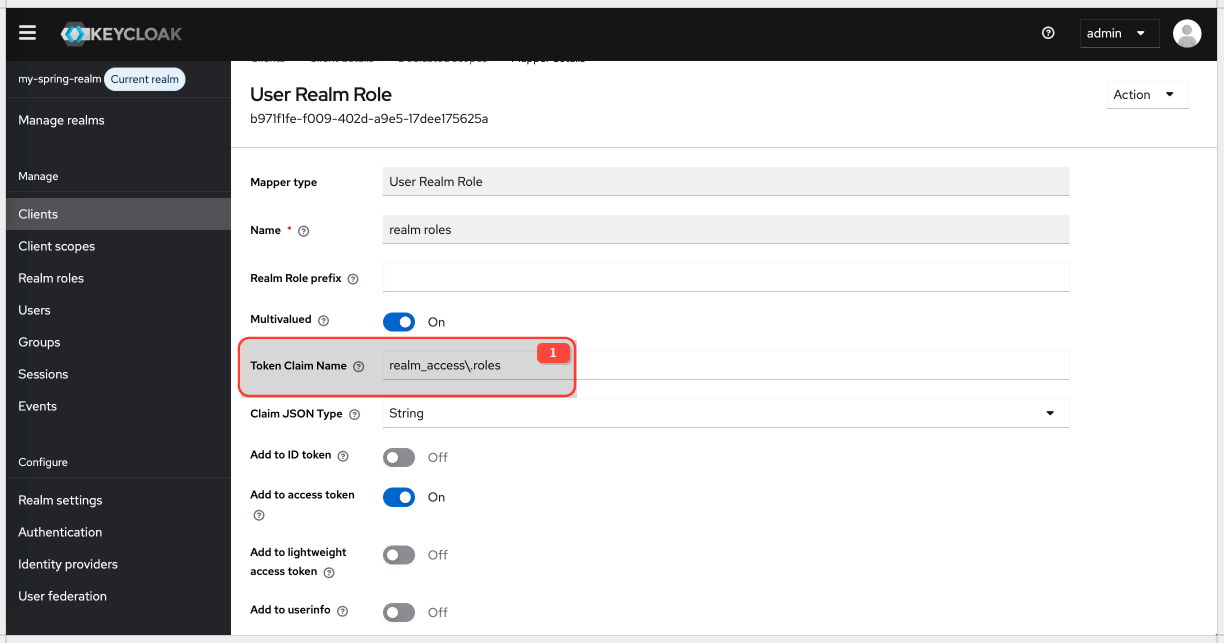
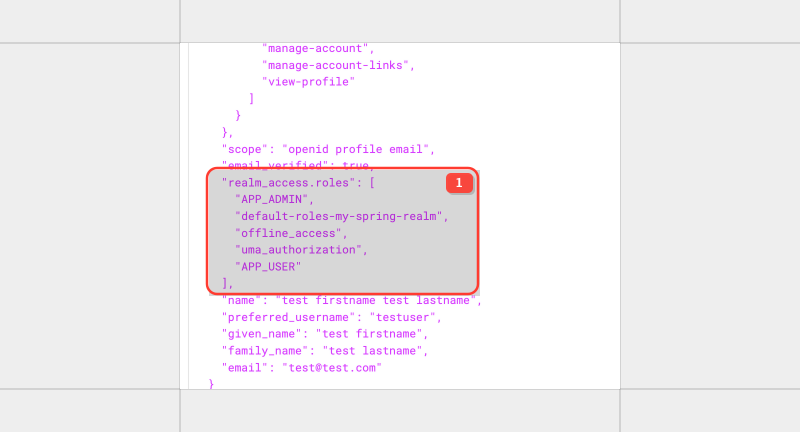
After the change, this fix Spring JwtAuthenticationConverter claims mapping.
Note prefix from Spring configuration, ROLE_ is appended to the authorities. This allows standard spring role checks mechanism work in standard way.
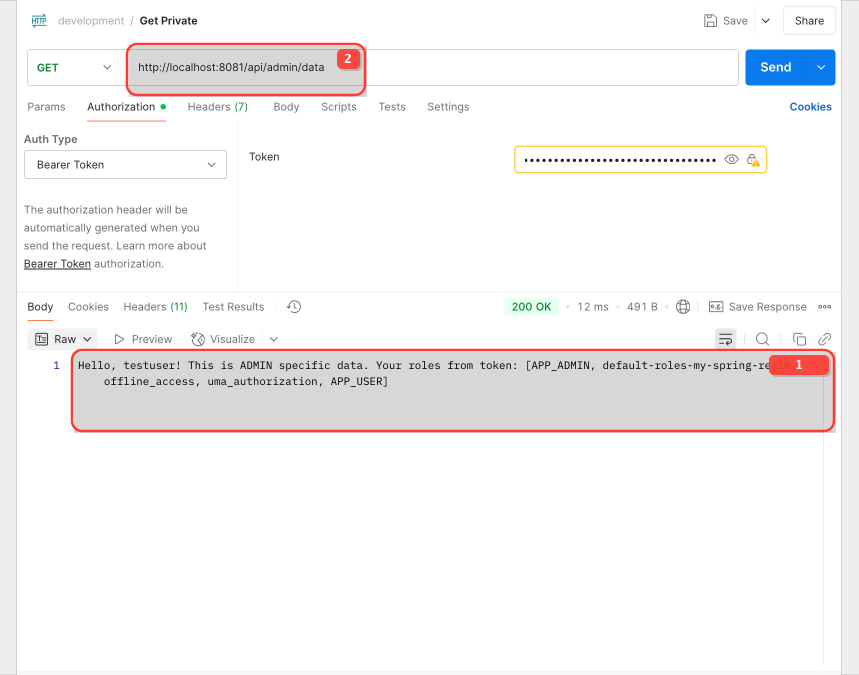
Success scenario
You can get admin and user endpoint data with this approach.
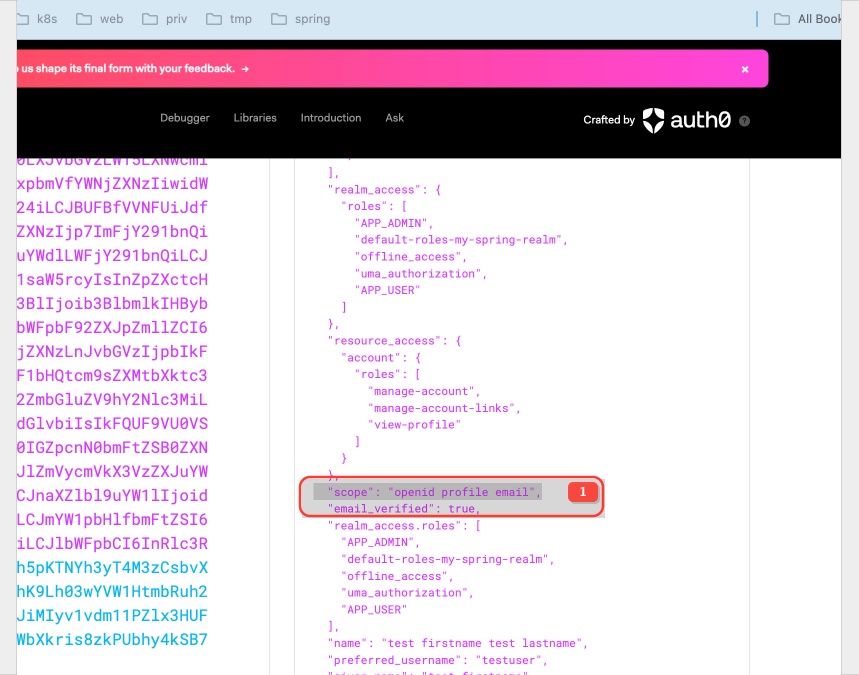
you can notice scope claim in the JWT
| Scope | Description |
|---|---|
openid | Required for OpenID Connect flows. Signals to the resource server that the token conforms to the OIDC specification. Indicates the token contains information about the authenticated user. Without openid, the resource server wouldn't know it's dealing with an OIDC token and wouldn't know where to find user-related information. |
profile | Grants access to the user's basic profile information. The exact attributes included depend on the Keycloak configuration but typically includes name (full name), given_name (first name), family_name (last name), nickname, picture, website, and other standard profile fields as defined in the OpenID Connect specification. |
email | Grants access to the user's email address. Usually returned in the email claim of the JWT (or accessible via the OIDC UserInfo endpoint). The Keycloak user record must have an email address for this scope to be effective. |